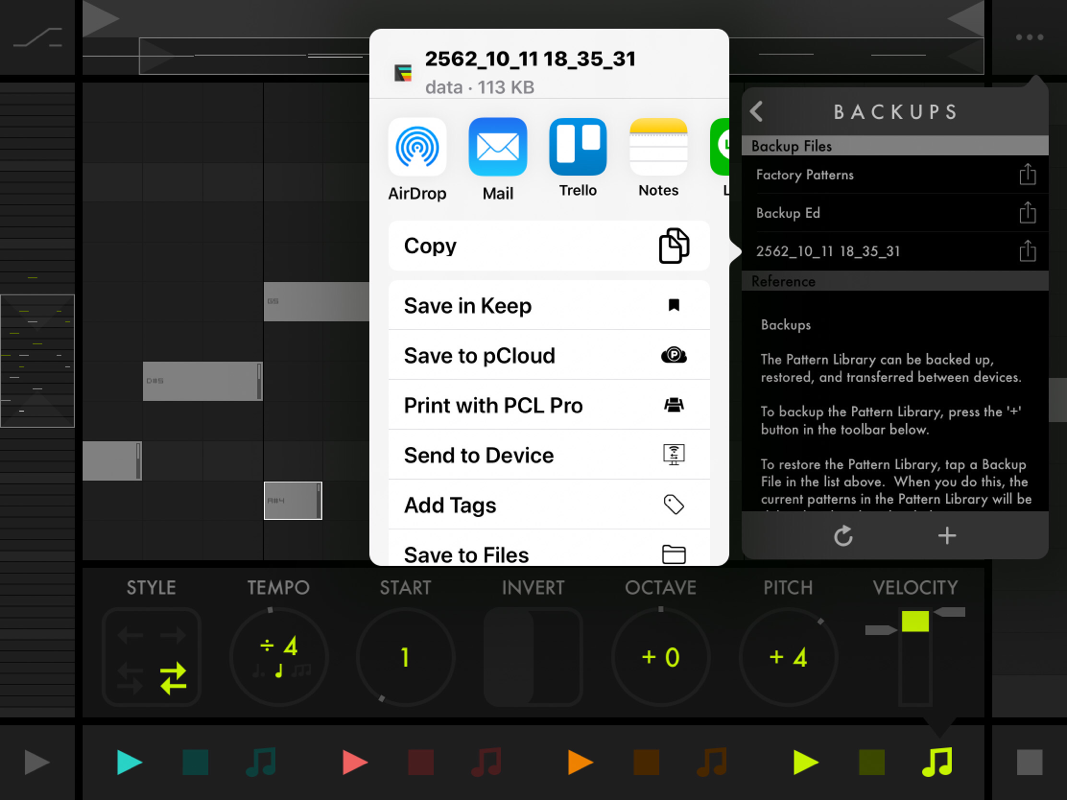
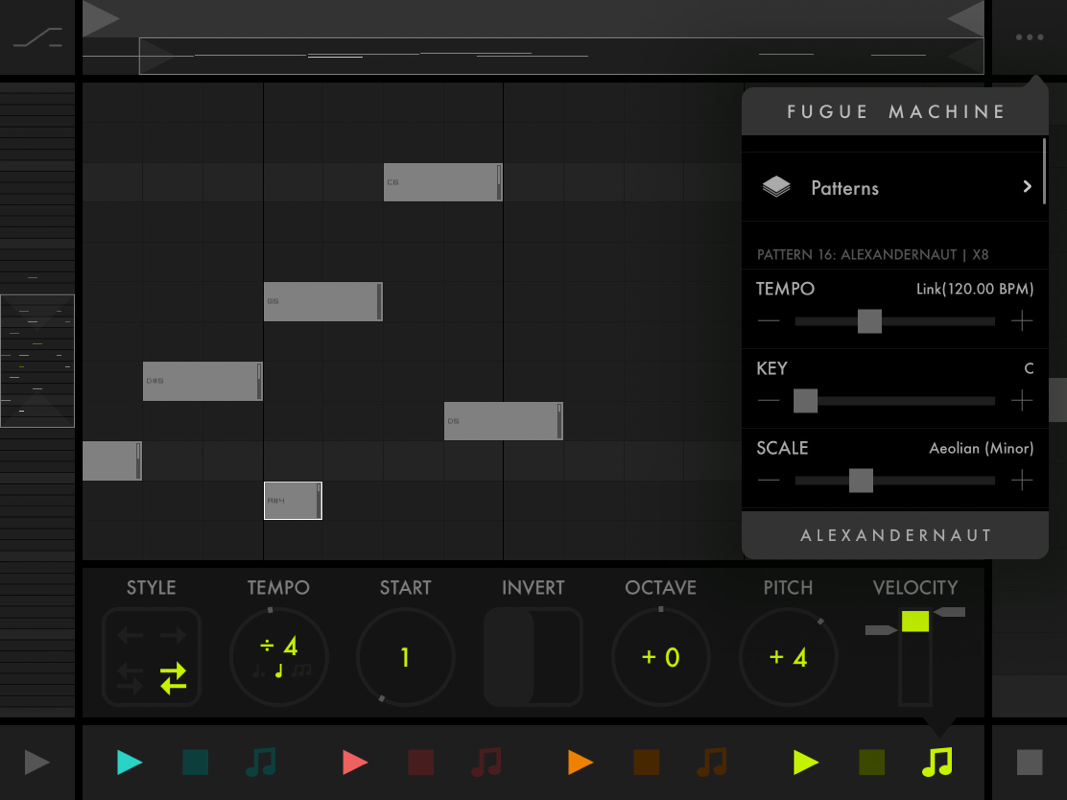
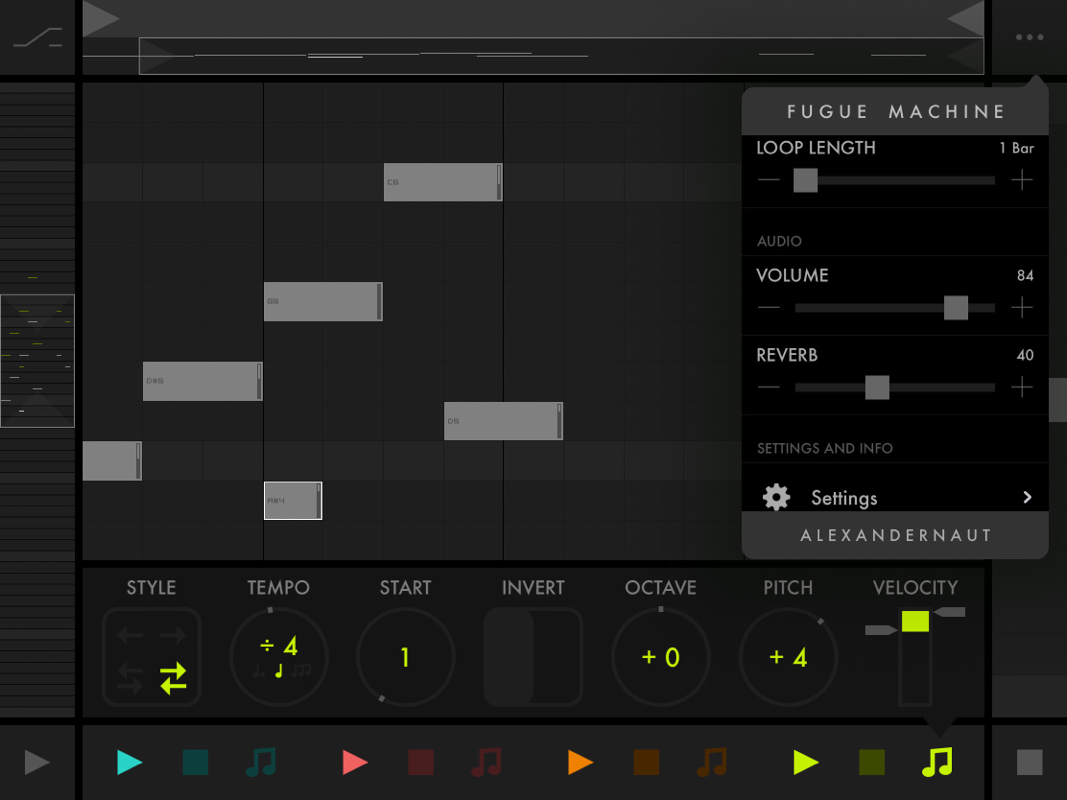
 Before I start this review, I have to confess something. I received this App not long ago, but I knew it since its release. As you know, I never watch a video of an App before doing its review so the only thing I knew about Fugue Machine was the App Store description. Fugue Machine a 4 playheads MIDI Sequencer.... And here, because of my nullity in music theory, I always wondered what could be the interest of such an App apart from creating a perfect cacophony... When I received the app, I immediately wanted to try it, (because of all the positive comments I could see every time, everywhere), so immediately said immediately done.... And then the surprise.... It's beautiful!!!!! It's magical for losers like me and logical for real musicians it seems to me... "FUGUE MACHINE is a tool inspired by composition techniques used in Baroque music and Serialism — e.g. Bach’s canons and fugues, and Schoenberg’s twelve-tone technique. The idea was to design a tool to manipulate a melody’s speed, direction, and pitch, as well as play multiple variations of the melody simultaneously." So here we are, Fugue Machine is 4 playheads which will play all together (or not according to your desire) at different Speed, Scrolling direction, Octave, Pitch, Volume. You can even invert the playing notes (the highest notes will become the lowest) And even ask a playhead to start playing at a certain position on the Grid. In the settings we will be able to select a Scale: Ionian (Major) | Dorian | Phrygian | Lydian | Mixolydian | Aeolian (minor) | Locrian | Harmonic (minor) | Phrygian Dominant | Lydian Dominant | Wholetone | Whole Half | Major Blues | Minor Blues | Major Pentatonic | Minor Pentatonic | Chromatic The key. Add a Reverb to the factory sound or send the MIDI out of each playhead to another connected App or hardware. A Pattern named loop can be set up to 1 to 8 bqrs of 16 steps. In conclusion, Fugue Machine is really great. Will generate from a melody a surprising pattern, which you will certainly never have thought of creating. I love it!!!!!! A Killer App! A Must Have!!!!! Price $9.99 Author Alexander naut Type Midi Sequencer Sequencer type Multi playheads Supports Inter-App Audio (IAA), Audiobus, Ableton Link )Version 1.5.15 Released 10/10/2015 Updated 08/31/2019
AUv3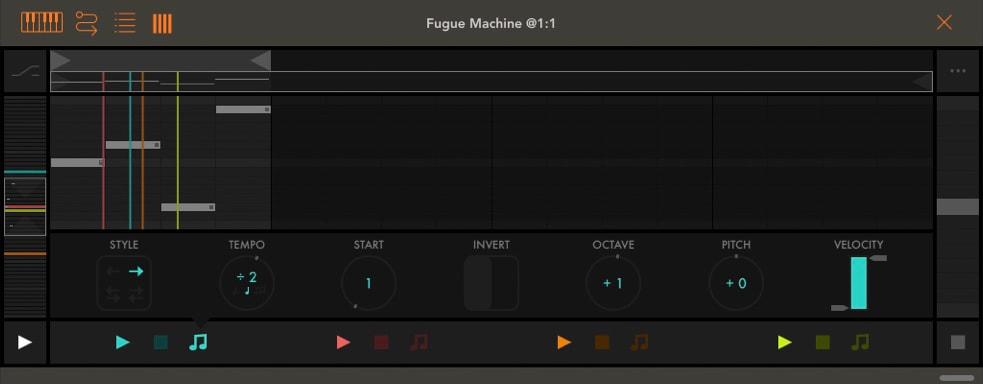 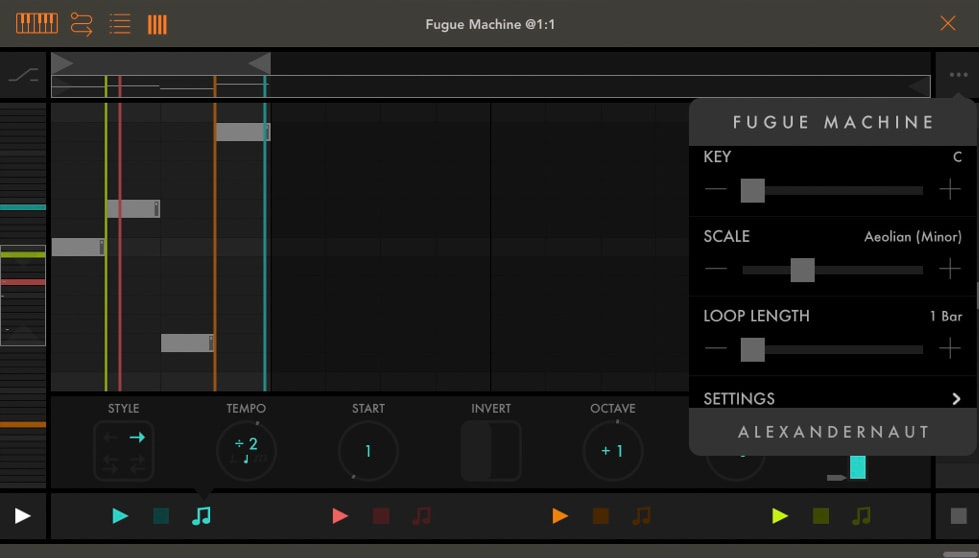 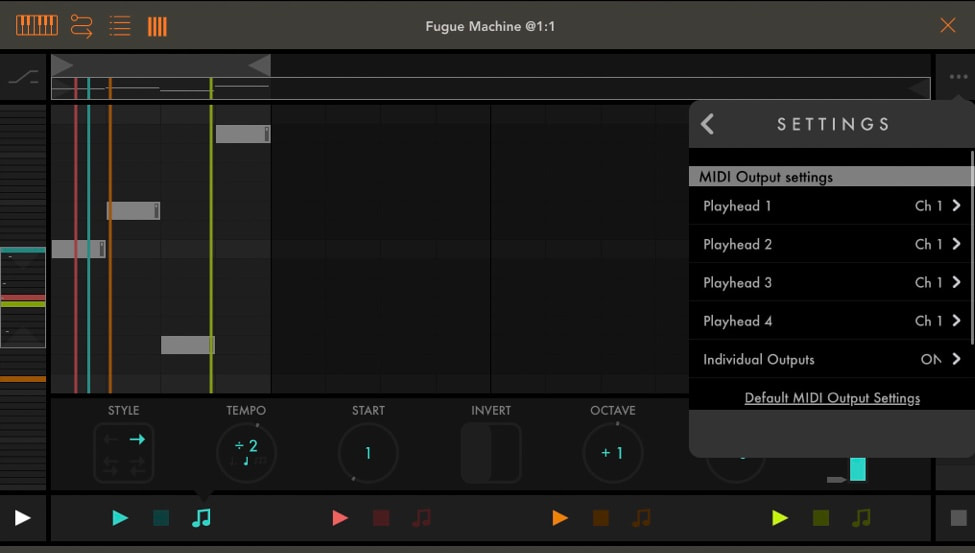 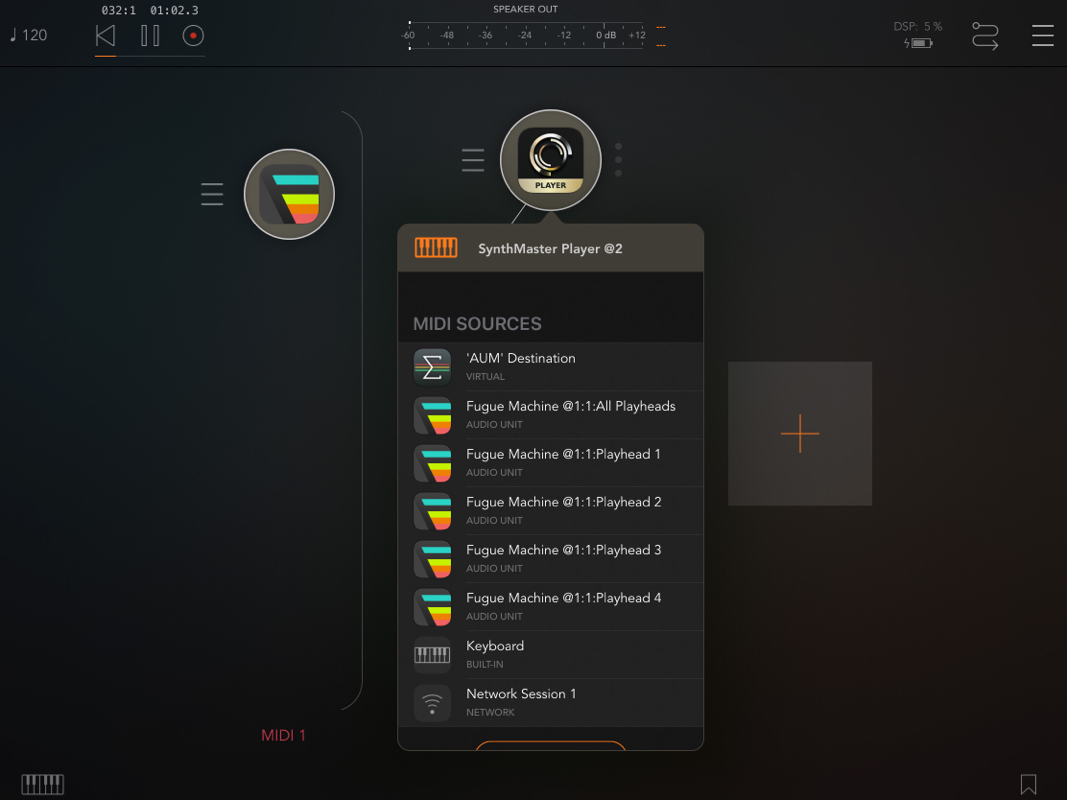 Stand Alone | IAA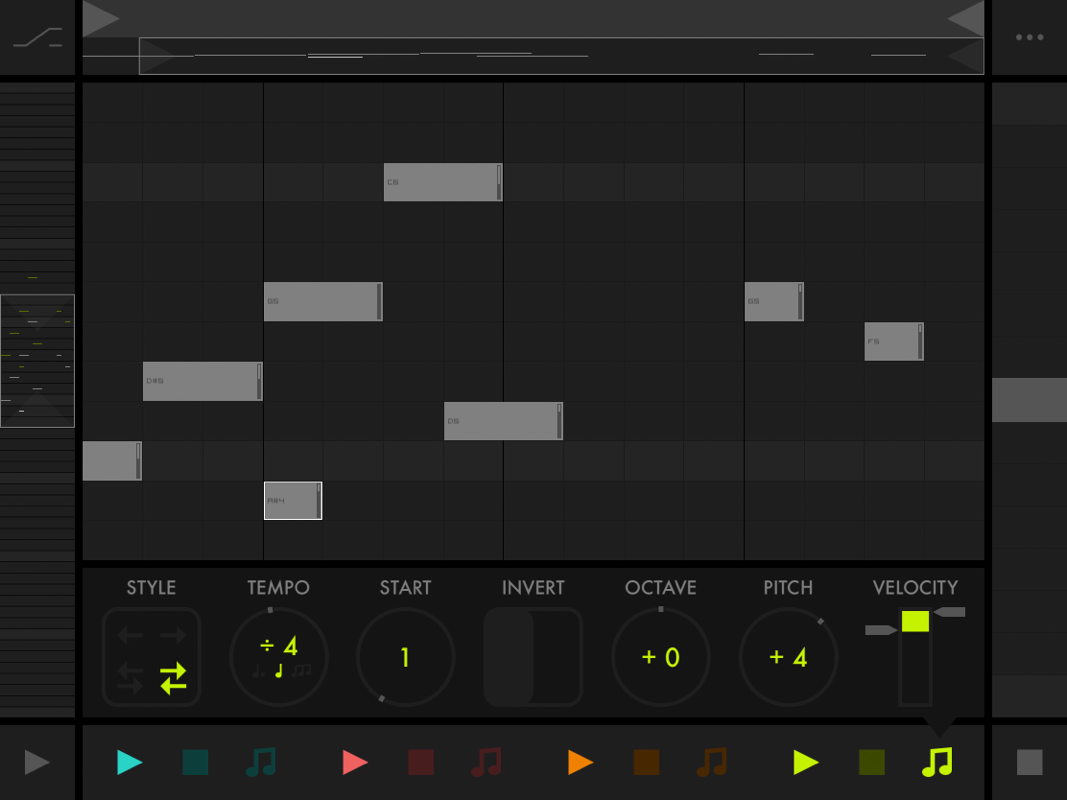
Presets
 Settings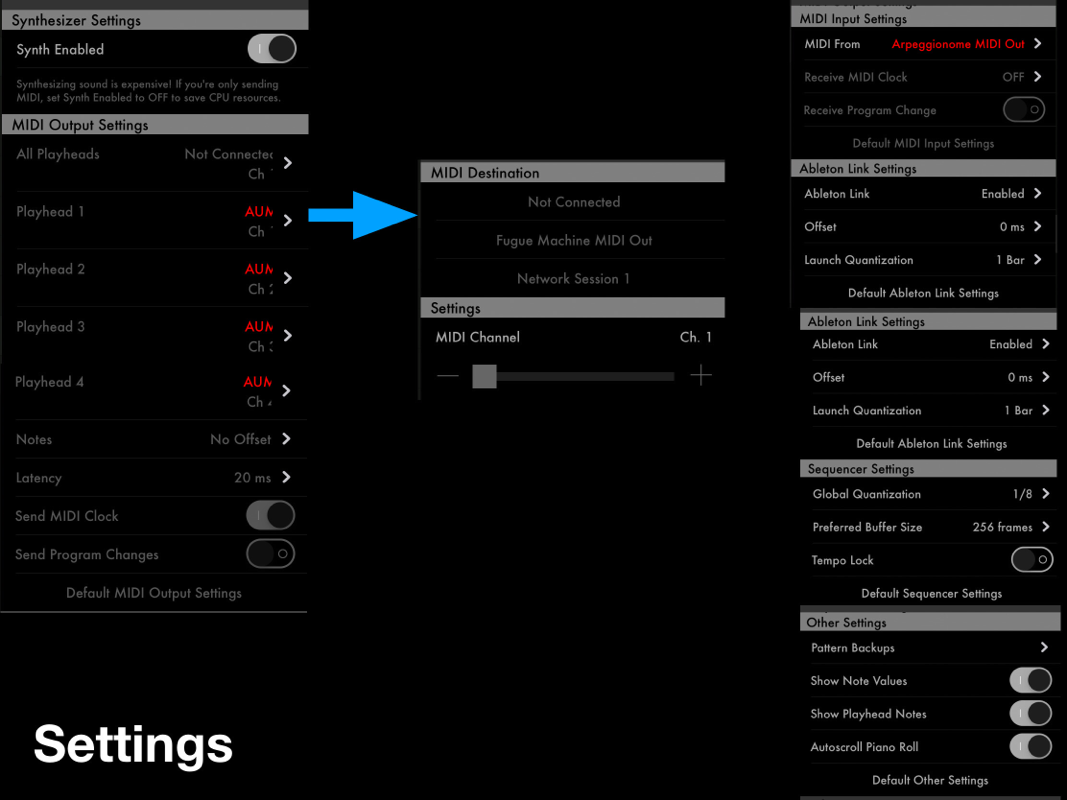 The App Store descriptionA music sequencer reimagined with multiple playheads.
"How Bach would have made a sequencer." (Create Digital Music) "A musical feat." (Creator's Project) "A new approach to sequencing." (XLR8R) "A next generation music sequencer." (Ask Audio) FUGUE MACHINE is a tool inspired by composition techniques used in Baroque music and Serialism — e.g. Bach’s canons and fugues, and Schoenberg’s twelve-tone technique. The idea was to design a tool to manipulate a melody’s speed, direction, and pitch, as well as play multiple variations of the melody simultaneously. As it turned out, the best implementation for this was to reimagine one of the most fundamental building blocks of all music sequencers: the piano roll. FUGUE MACHINE is the world’s first multi-playhead piano roll. Create a music sequence and play it back with up to four playheads at once — each at various speeds, directions, pitches, and more. Watch the playheads dance, and hear the complex patterns that emerge. It’s mesmerizing. Fugue Machine supports iPhone, iPad, MIDI, AUv3 MIDI, Ableton Link, Audiobus, Audiobus 3 MIDI, and Inter-App Audio. Version 1.5.15 release notesFugue Machine 1.5 — iPhone support, AUv3 support, more scales, piano roll gesture improvements, and more. See 1.5.0 Version History for more info. 1.5.15 Minor UI fix. When Loop Length was set greater than 1 bar, bar masks in the Piano Roll weren't shown properly. Fixed now.
0 Comments
 Cykle is a modular AUv3 MIDI "Step" Sequencer 8 tracks for the Stand Alone version Each modules can play 16 "step" or cells. Naming a Step, Cell is certainly better because each of them can play 1, 2, 3, 4, 5, 6, 7 or 8 times 2 modules can not be removed: Pulse and Pitch Pulse send MIDI messages and Pitch a Note or a Chord. (If a Pulse cell is un selected no MIDI message will be sent for this cell) If my Pulse cells are settled to 8 and my Pitch cells are settled to 1 8 notes will be played for 1 Pulse cell. The Pitch module contains 7 rows for each notes available in a selected scale. Ionian (Major) | Aeolian (Minor) | Donan | Phrygrian | Lydian | Mixolydian | Locrian You can setup the root note and the Octave too from the Setting menu. 13 modules 1 Pulse 2 Pitch 3 Rest: mutes a playing note 4 Length: Sets the step lengtn between 1/16 th and 1 whole note 5 Chance: Sets the probability 20 - 100% of whethe a note will play or not 6 Velocity: Set the velocity 7 Accent: The max accent can be settled in the Setting menu from 100 to 127 8 Gate: Sets thee gate time (note duration) 9 Transpose: Transposes the pitch within a one octave range on the selected scale 10 Octave: Transposes he pitch by one octave up o down 11 Ratchet: Subdivides a step into x equivalent pulses 12 Control: Modulate a configurable MIDI continuous control value (More than 1 module can be added to your pattern) 13 Pitch Bend: Modulate the MIDI pitch bend value The Tools: 1 Add and remove cells 2 Remove event (s) 3 shift left 4 Shift right 5 Shift. up 6 Shift down 7 Rotate 8 Randomize 9 Mirror 10 Double 11 Bisected To conclude: I really love it! Really even if I have only one little regret which is to note be able to set a "positive" note's length. More than a whole note. At this moment Cykle is really awesome for creating melodies, or even Drum Patterns. The possibilities are infinites. The way Cykle works is just awesome for working fast... I know that Cykle has been created for melodic pattern but if we could be able to play a x note length, sure that it will become my main AUv3 Sequencer... I will ask the developer.... A Killer App!!! Price $7.99 Author Corne Driesprong Type MIDI Sequencer Supports Audiobus, Audio Unit (AU), Ableton Link Version 1.0 Release d10/01/2019
The AUv3 version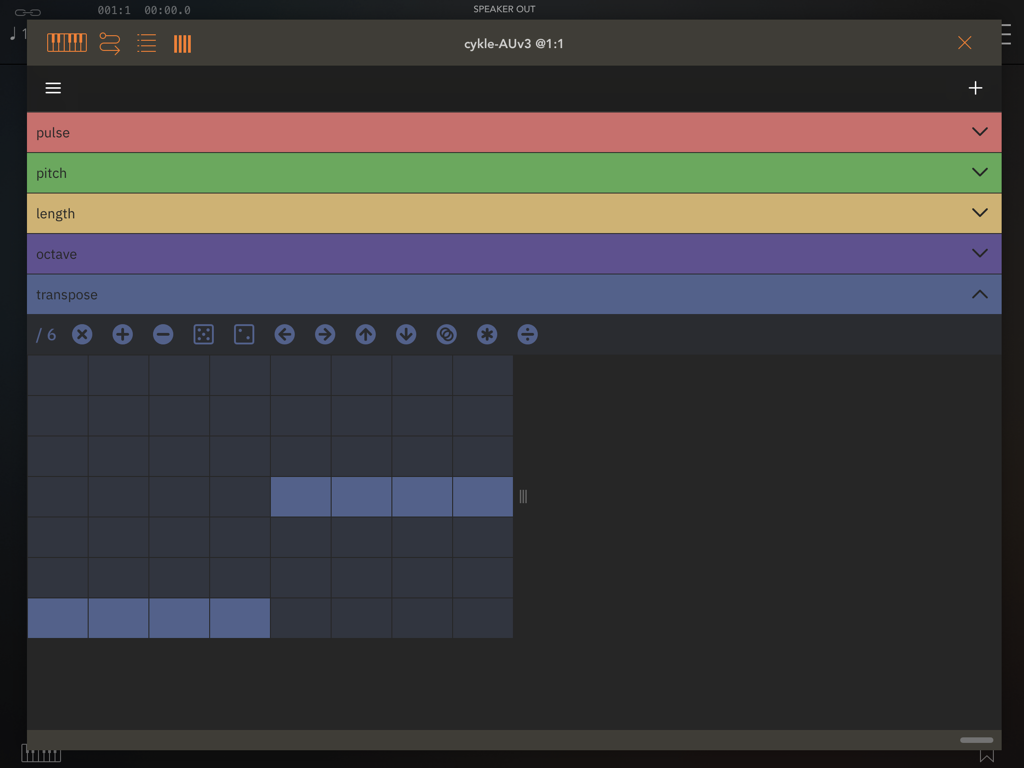 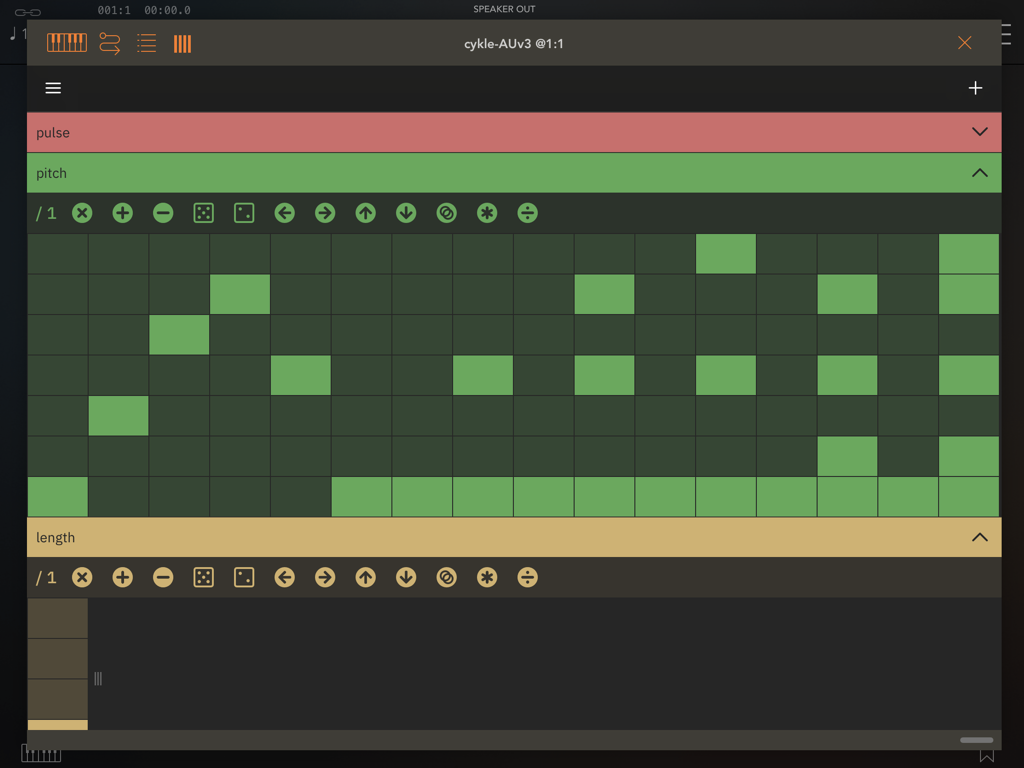 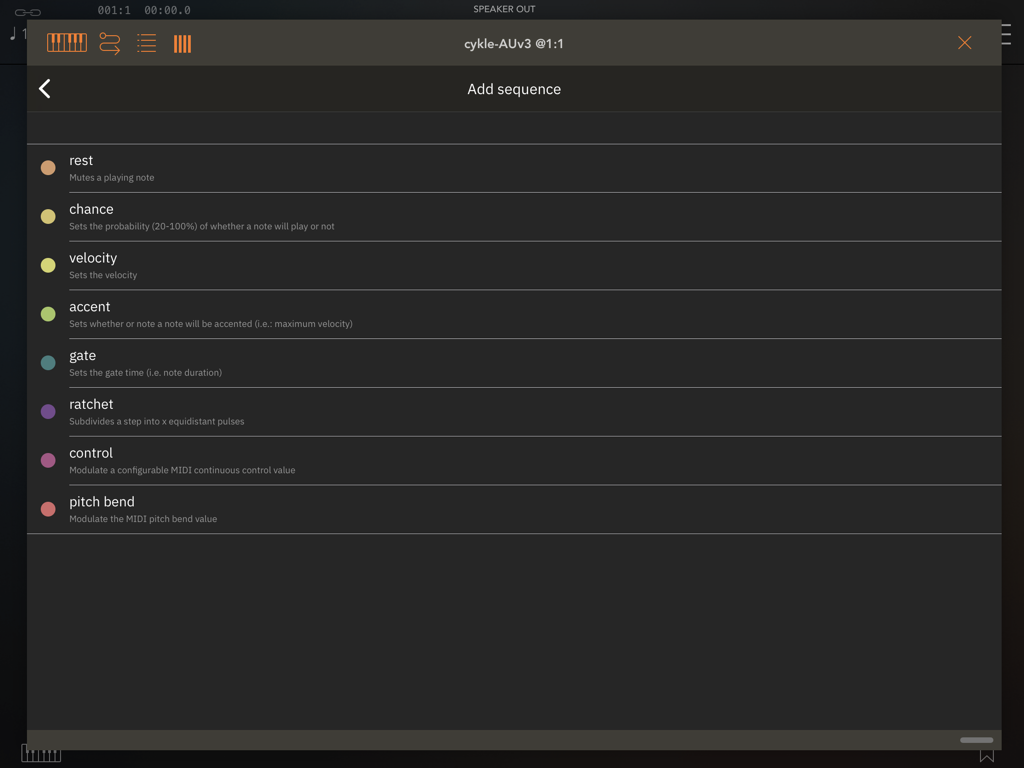 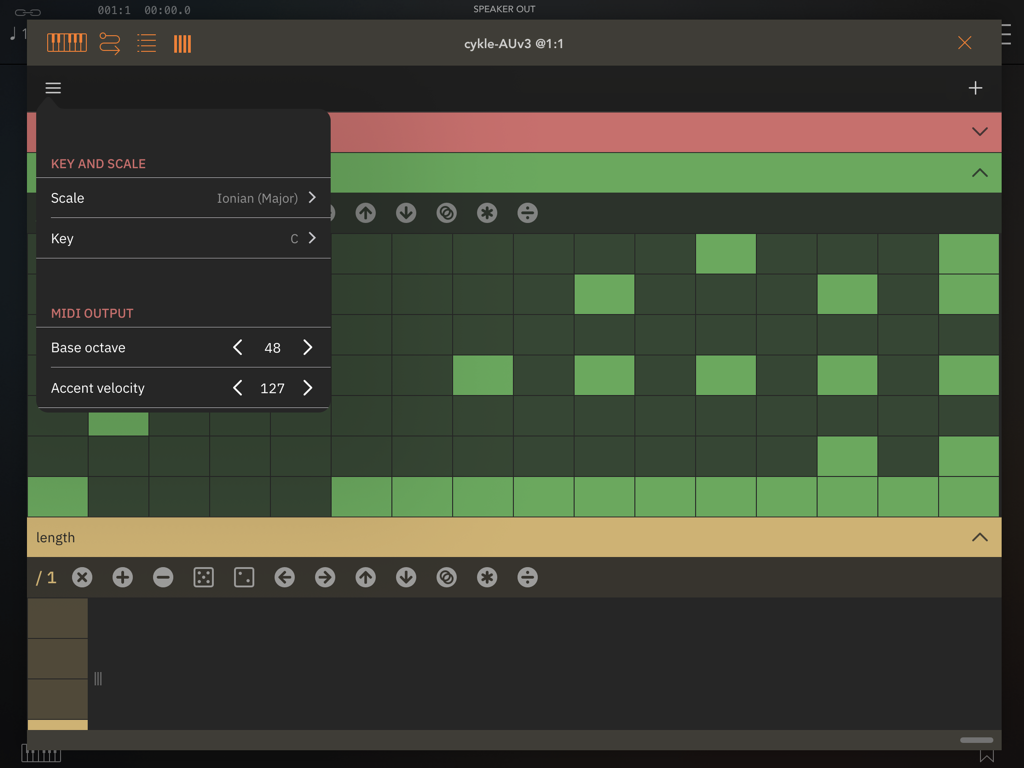 The Stand Alone version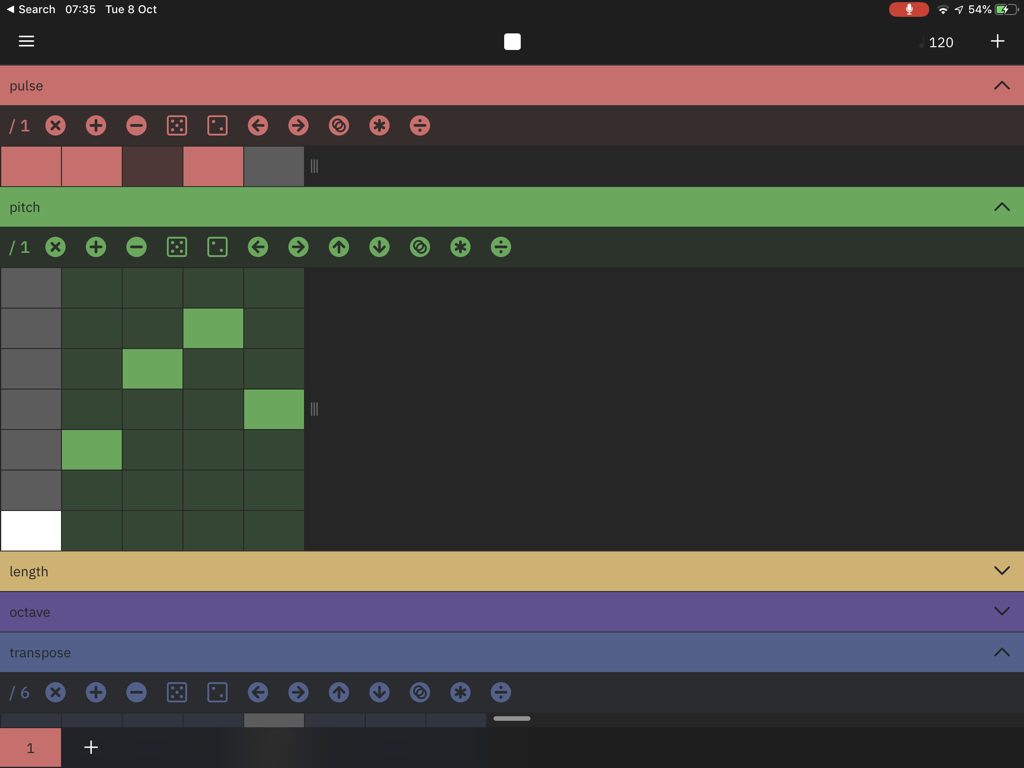 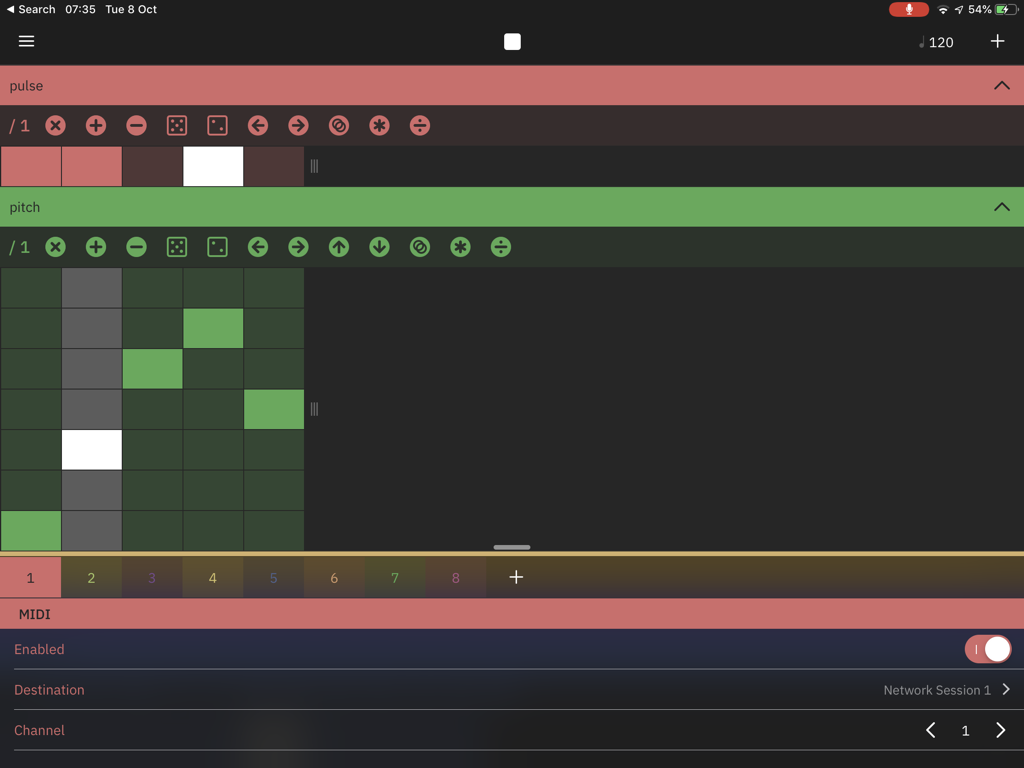 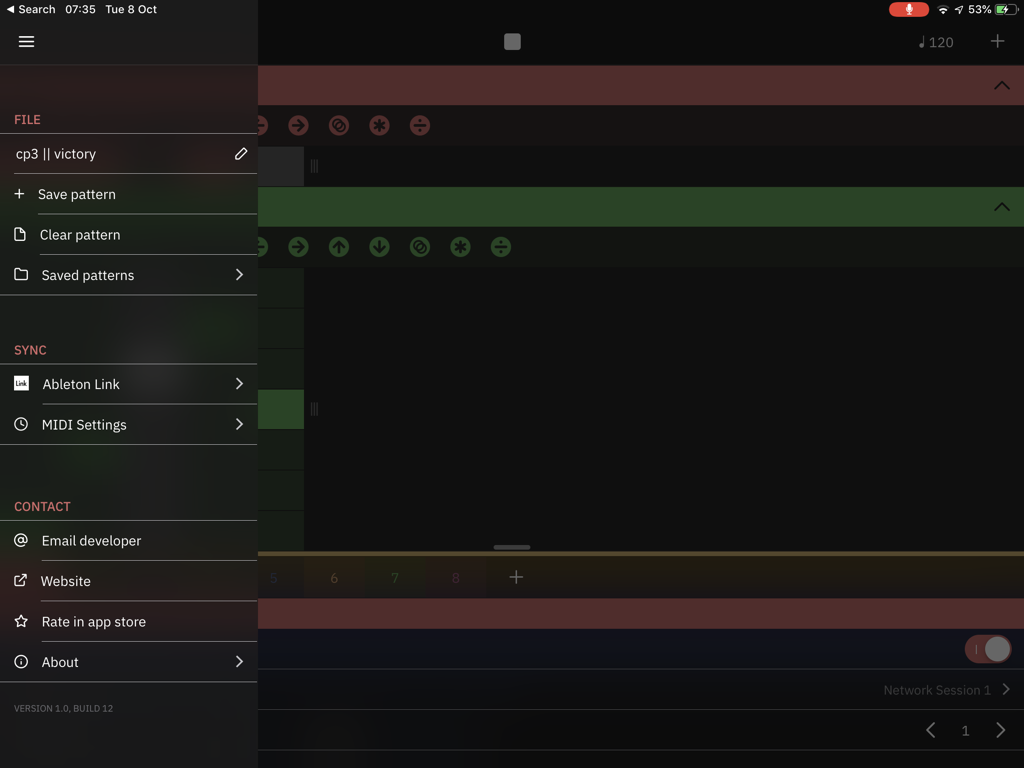 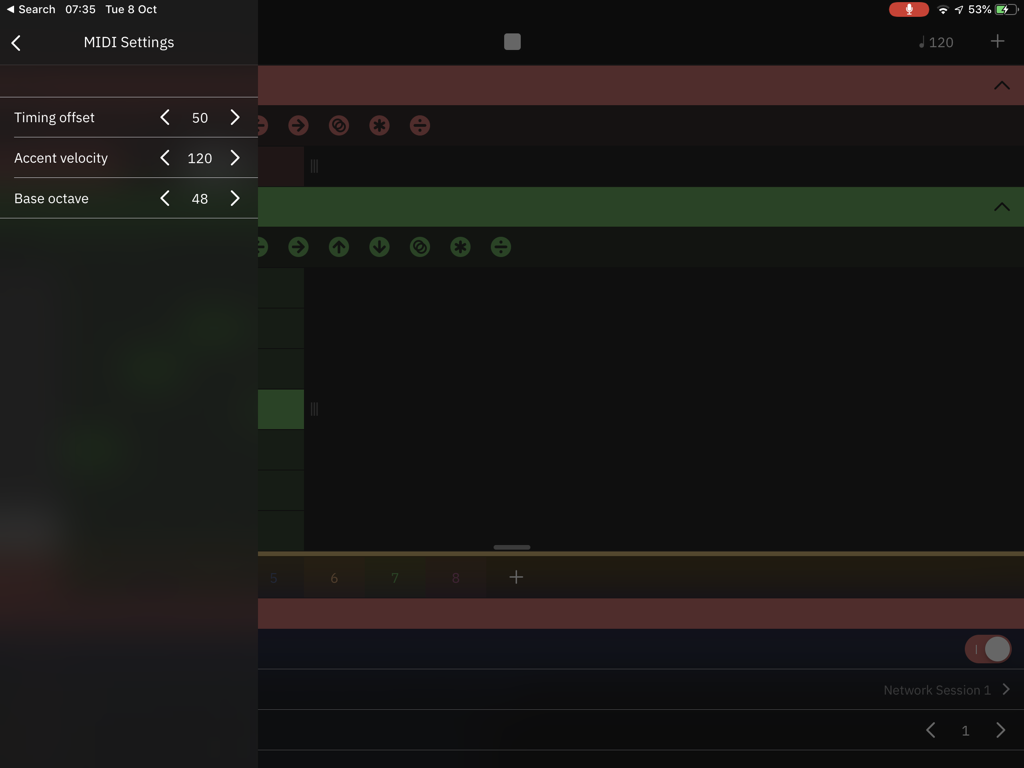 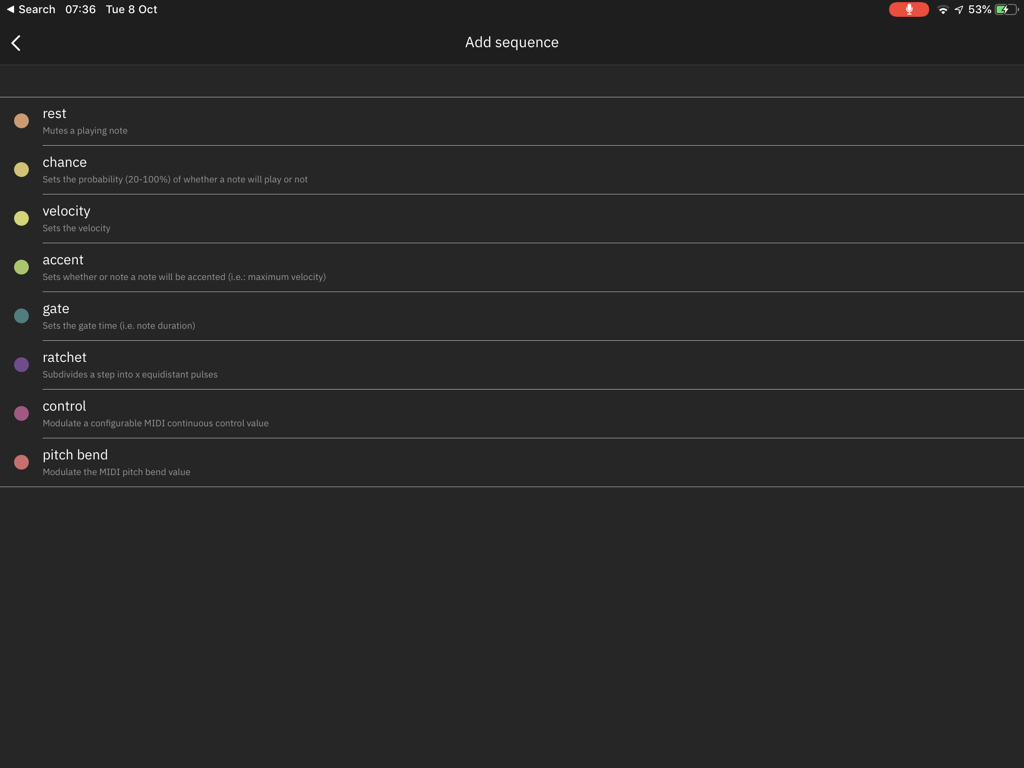 The App Store descriptioncykle is an innovative, semi-generative melodic step sequencer for iOS that is based around the concept of sequencing individual musical parameters (such as pitch, velocity, length, transposition, etc.) independently, by way of decoupled sequencer lanes. thus, the interplay between simple elements can yield complex and musically interesting results.
nb: cykle does not make sound by itself, you will need to connect it to a MIDI-compatible synthesizer app on your device, load it in an AUv3-compatible host (such as Audiobus or AUM) or connect it to an external synthesizer, computer or any other sound generating device. features: - works as an Audio Unit (AUv3) MIDI plugin or as a standalone (CoreMIDI) app - sample-accurate sequencing engine - universal layout with landscape and portrait modes - slick and responsive native UI - configurable tempo, scale and key - each channel can be routed to a separate MIDI destination and channel - each channel sends MIDI note- and pitch-bend data as well as an arbitrary number of continuous control messages - AUv3 state-saving - save and load patterns - independent sequencer lanes for various musical parameters: - pitch - pulses - rests - velocity - accent - step length - gate length - chance - ratcheting - transposition - transposition by octave - pitch bend - mappable MIDI CC values (e.g., filter cutoff, resonance, envelope, etc.) - sequences can be instantly manipulated by various actions (shifted left/right/up/down, rotated, randomized, mirrored, doubled, bisected) - configurable clock division rate per sequencer lane - Ableton Link support - an offset can be added to timing to compensate for MIDI latency - ongoing development and support, many new features on the roadmap  I don't know about you, but I know that I've wanted to use the Pitch wheel of one of my Synthesizers as a keyboard quite a few times... Even today this still happens to me with my Apps because not all of them have a Ribbon. Finger Bender can do that! And even more without having anything to program.... I love it.... Finger Bender has 16 bender presets. Each preset has 2 sides: A and B. Tap the preset button to cycle through A and B. Flip Flop A unique quantized bend that alternates pitches up and down.
It comes also with:
Tap the status bar to show or hide the settings. When the settings are hidden, the bender will go fullscreen (almost). A note: Begin swiping anywhere on the bender. The starting touch point is always the "zero" mark. To conclude: It's simple, easy to use, can add magic to your synthesizer presets, even effects... A AUv3 version will be really really awesome! A Killer App! Price $5.99 Author Denis Desjardins Type MIDI Controller / Pitch & Mod wheel Supports Stand Alone Version 1.1 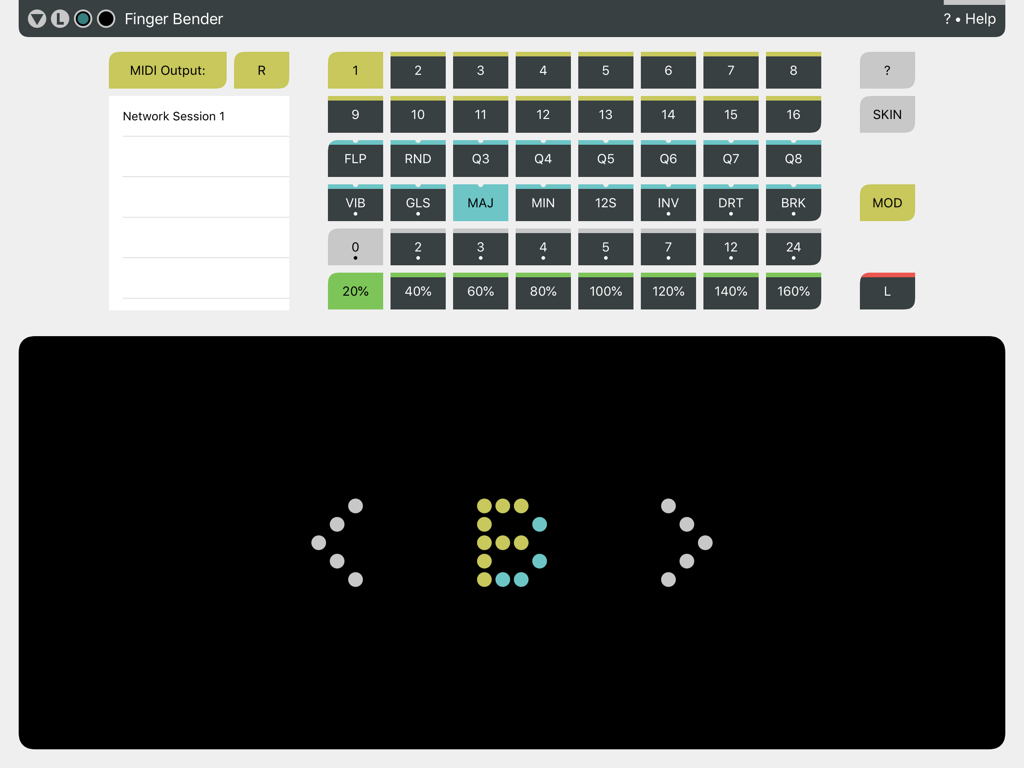 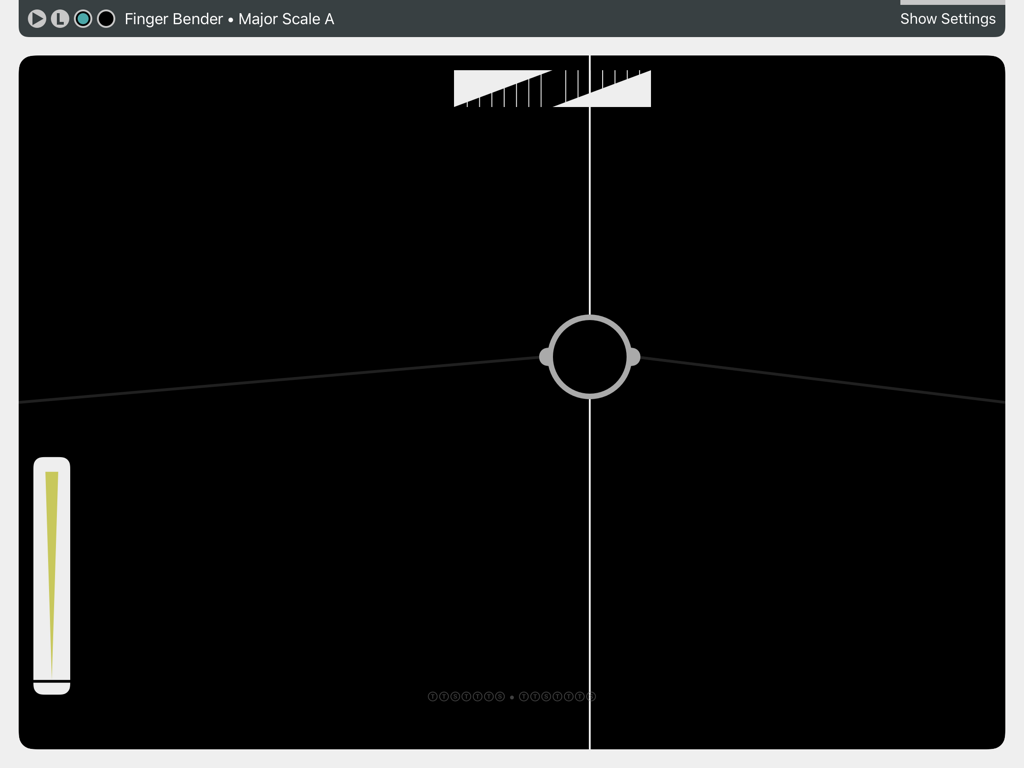 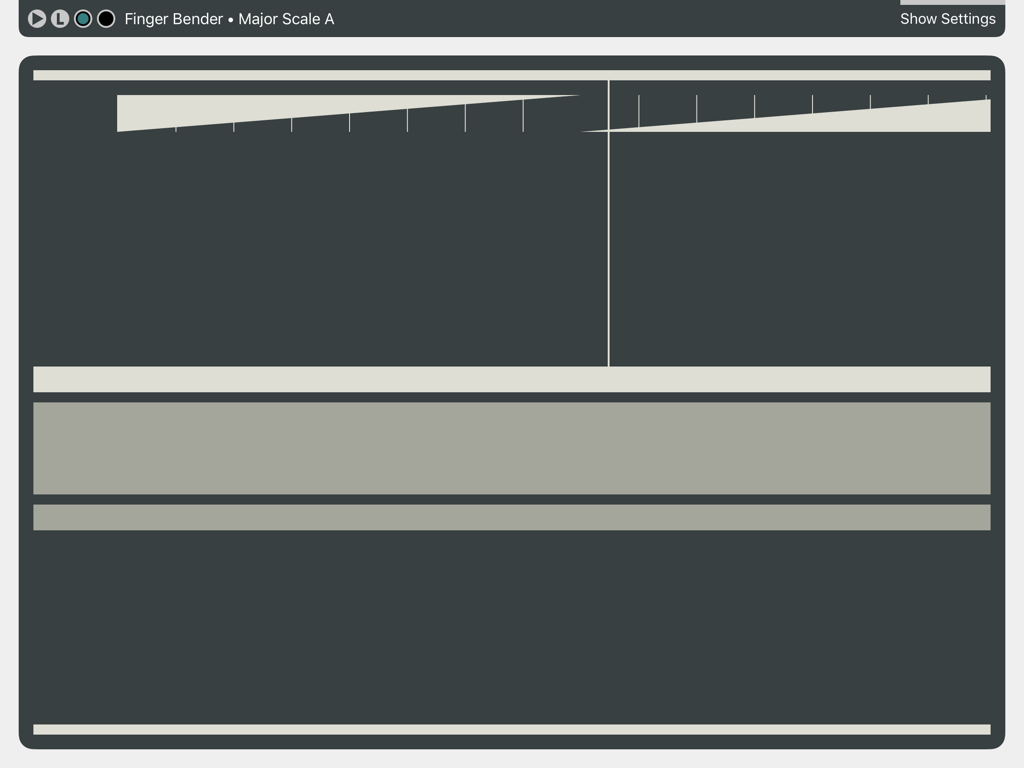 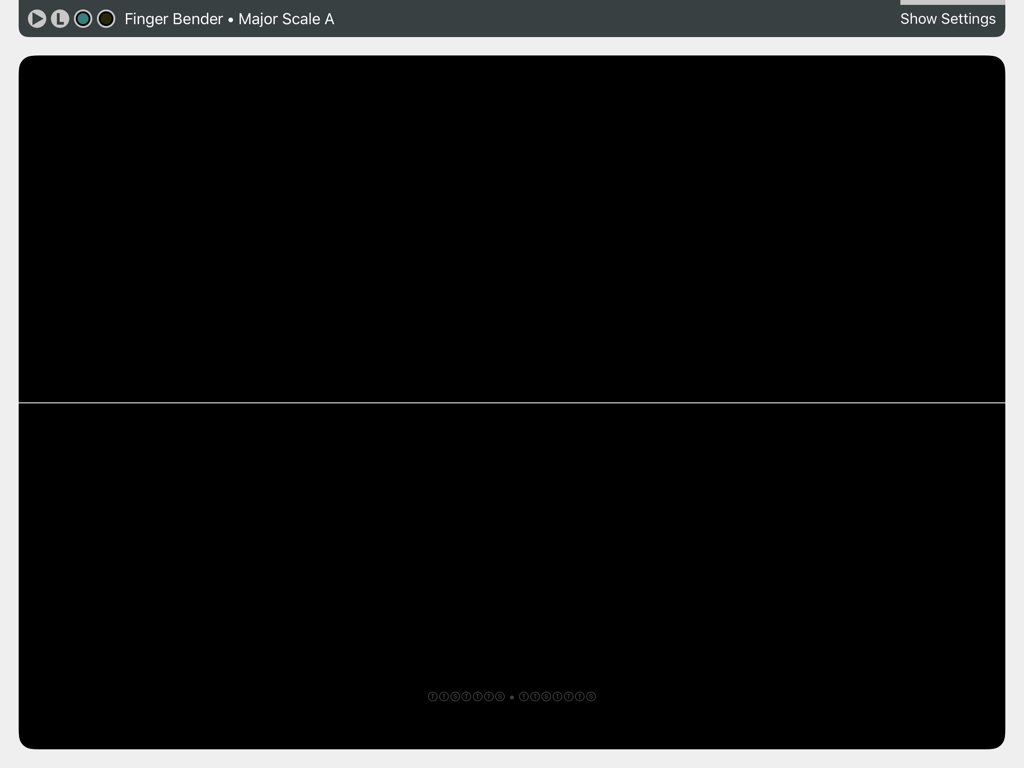 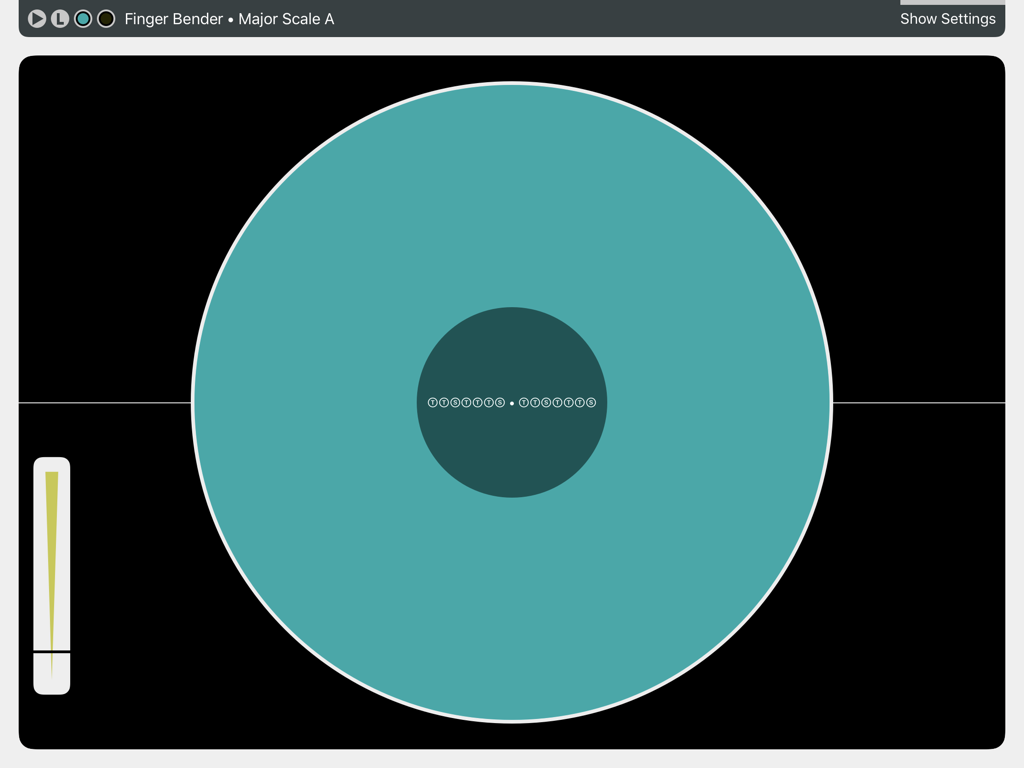 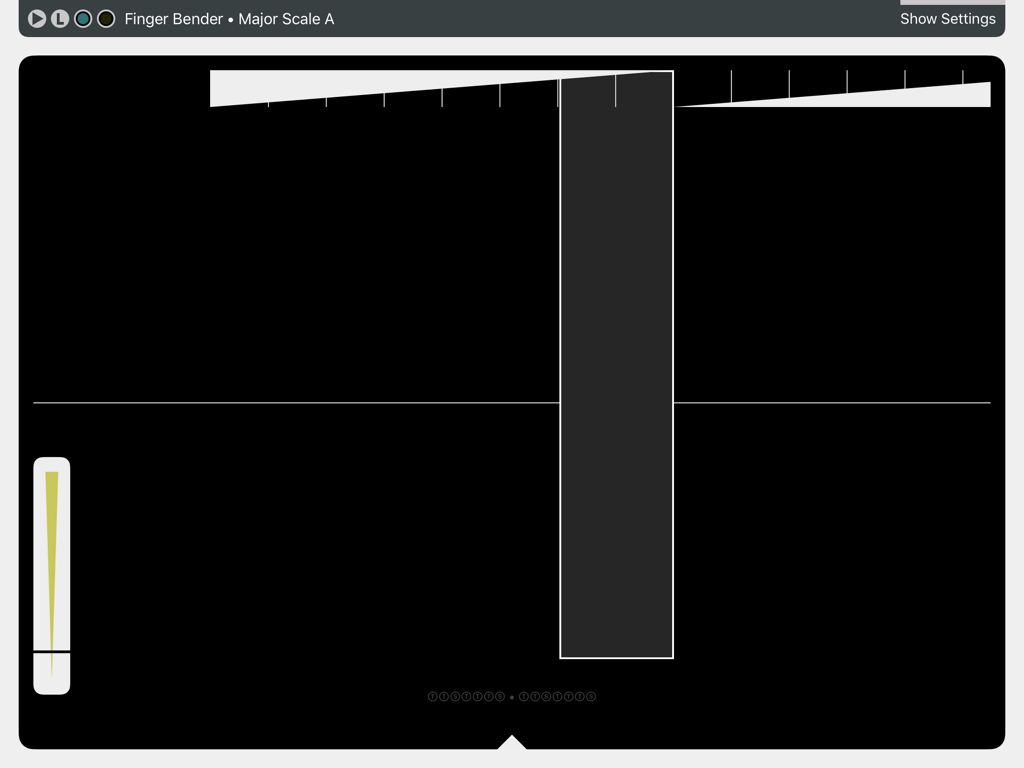 The App Store descriptionFinger Bender is an expressive pitch bending controller for MIDI (Musical Instrument Digital Interface) instruments. Create natural vibrato and unique pitch bending effects by sliding your finger on glass. Explore microtonal tunings. Have fun and develop your own playing styles.
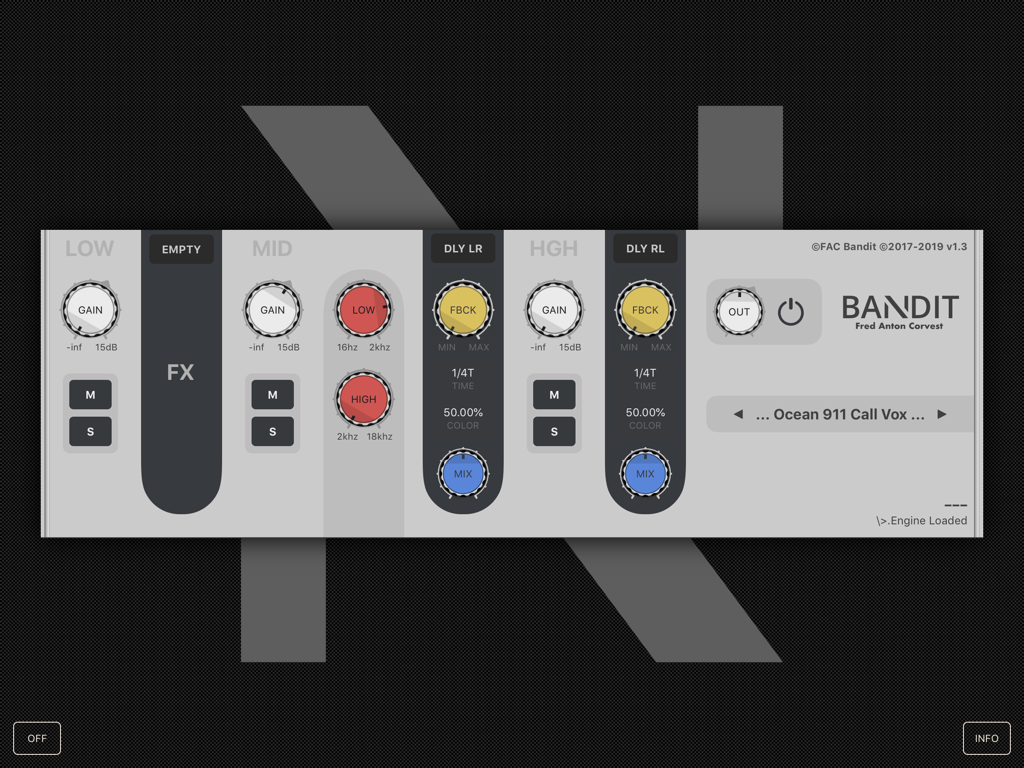
Features: * 32 Pitch Benders * Pitch Bending Effects * Modulation Control * Latch Pitch * 5 Skins * Customizable * Pitch Bend Guide Points * Pitch Graphs and Tones * Fast and Responsive * Online Help  The App Store description starts with these words: - Multiband effect processor - DJ style bands isolator with crossover control Oh Lal la la la.... I am the worst DJ on earth.... So, what do I do? I'm not reviewing this App? At the same time, I also tell myself that I am certainly the worst technical guitarist I know after 35 years of playing guitar every day... That to make an illusion (to me), I always need to add lots of effects on my guitar, and that when I read the first sentence: "Multiband effect processor" there is something that tells me that this App may be the app of my dreams... Yes, when we use a lot of effects like me, the sound can quickly become "messy" so, if with FAC Bandit I can limit an effect to a band (Low, Mid and High) it would be really great! The dream would be that I could add a delay for example on my high strings (E and B), a Reverb on the mediums (G, D & A) and anothe effect (on the bass (E)... Wait, I'll be back.... Wahooooooooooooooooooooooooooooooooooooooooooo!!!!! It works! It works! That's great! That's great! Watch the demo video below! That's so cool! The possibilities are endless!!!!! FAC Bandit is a multiband audio effect that splits the audio signal into three bands of frequencies defined by adjustable crossover points. Each band is processed independently by its own effect processor and the outputs are then recombined to produce the final effect. Each frequency range is altered with different effects and settings that won't sound the same if applied on the full frequency range. As you have probably realized, FAC Bandit is a wonderful and powerful sound design tool for designers who want to sculpt new personal, exciting and outstanding sounds. Either in a subtle way, without compromising the original tone, or in a more drastic way. Following the diagram below, the input sound is split into three bands (Low, Mid, High) which are then recombined to the output. The three band sections provide: an output gain control, a mute/solo toggle and a dynamic fx slot. The crossover, for its part, is available in the second band section. Both the gain and mute/solo parameters can be used as band killer, like in DJ console.
Fx- effect section. On the top there is a menu to select the effect, followed by three controls and a mix control to blend the dry signal with the wet signal. It's also possible to change the algorithms (or the model) to quickly experiment different result with the same parameters configuration. The architecture is extensible and more will come in the future. Saturation: Tube-like distortion Parameters
LOFI: Low resolution character of retro vintage samplers Parameters
Ring Modulator: Add inharmonic content to your input signal and get great percussion, metallic or bells sounds Parameters
Delay: Tempo based delay, provides depth and ambience Parameters
Reverb: Recreate the sonic ambience of rooms and spaces Parameters
In conclusion: This App is certainly great for DJs.... I hope that with my video they will be able to see the capabilities and usefulness that FAC Bandit can bring to them... It is, and I am sure it is great for all sound engineers, sound designers, producers,... And for people like me, she's the dream! I'm going to be addicted again.... But I'm lucky, right next to my house, there's a hospital that cures all addictions in 10 days... A Must Have! A Killer App! Price $8.99 Author Frederic Corvest Type Effect Effect Multiband Effect Supports Audio Unit (AU) Stand Alone Version1.3 Released 04/22/2019 Updated 09/25/2019 07'05" 1 | 3 bands 2 | Saturation / 13'25" 3 | LoFi / 17'40" 4 | Ring Modulator / 20'05" 5 | Delay / 22'30" 6 | Reverb
 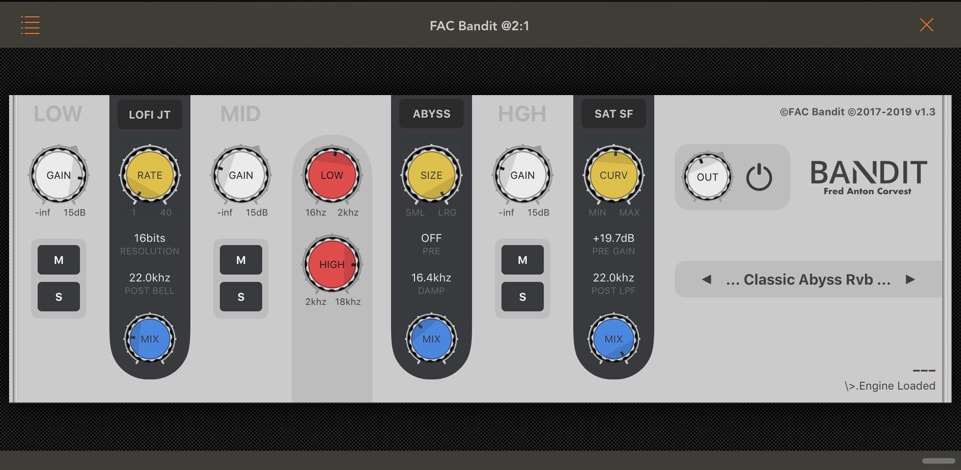 Saturation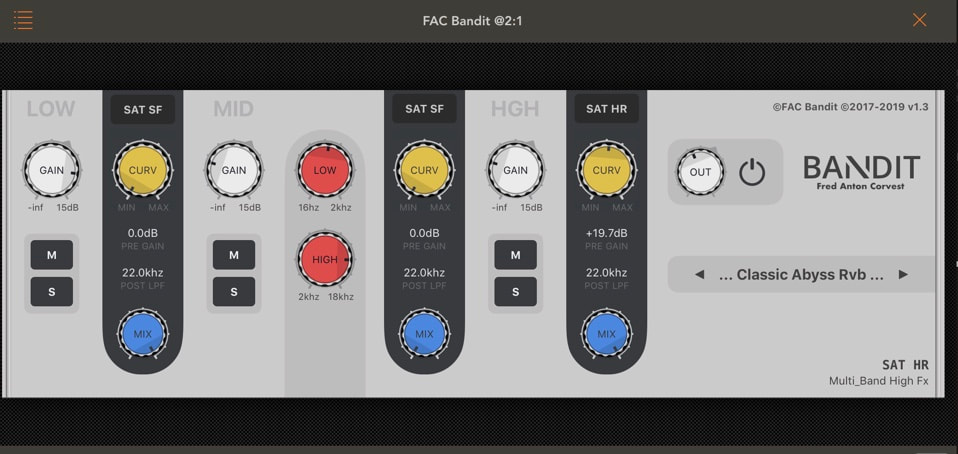 LoFi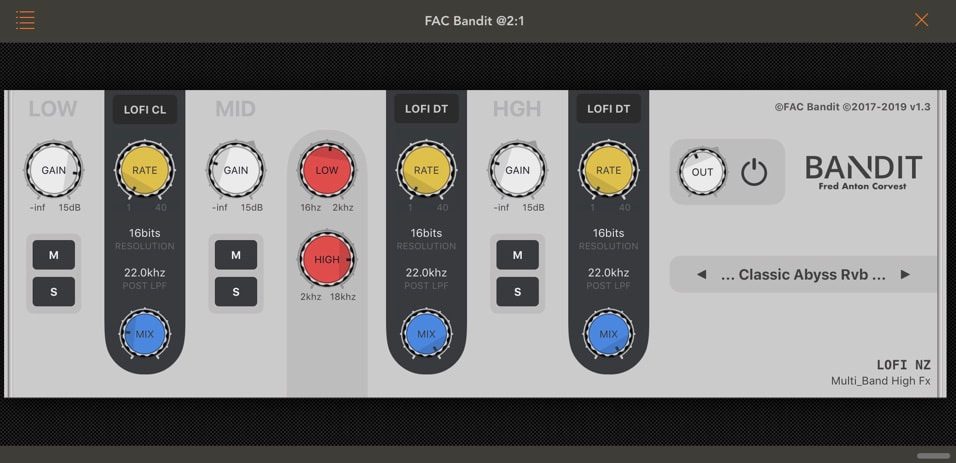 Ring Modulator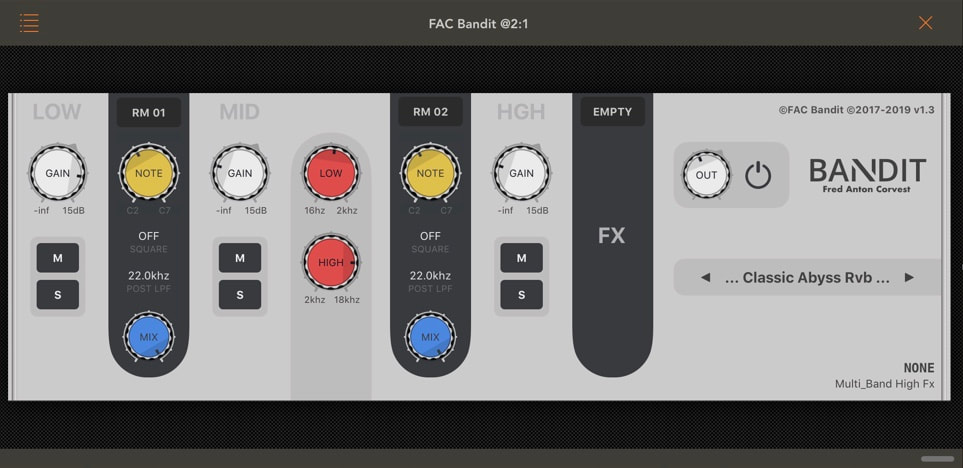 Delay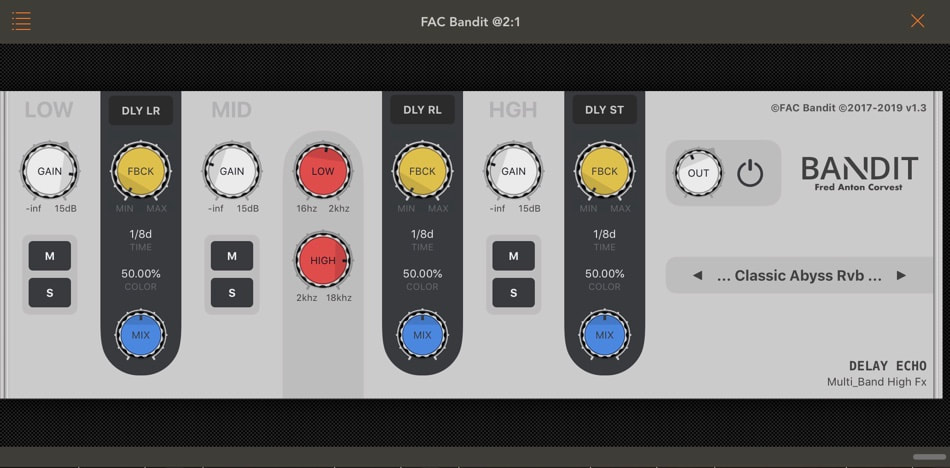 Reverb The App Store descriptionMultiband effect processor
• DJ style bands isolator with crossover control • Each single band provides its own effect with mix blending control • Comes with built-in effects: Saturator, Lofi and Ring Modulator • Extendable, more effects via In-App purchase (Delay, Reverb) • Include various presets for inspiration • Suitable for any situation, going from subtle to drastic change • iOS Audio Unit V3 FAC Bandit is a multiband audio effect that splits the audio signal into three bands of frequencies defined by adjustable crossover points. Each band is processed independently by its own effect processor and the outputs are then recombined to produce the final effect. Each frequency range is altered with different effects and settings that won't sound the same if applied on the full frequency range. As you have probably realized, FAC Bandit is a wonderful and powerful sound design tool for designers who want to sculpt new personal, exciting and outstanding sounds. Either in a subtle way, without compromising the original tone, or in a more drastic way. Version 1.3 release notes• NEW: Multiband Reverb (In-App Slot Effects Purchase) > 5 x algorithms from Small to Abyss. With size, pre delay and damp parameters. > 14 new presets • Global performance improvement • Addition of a pop over when you long press on "Resolution" (LOFI), "Delay Time" (DELAY) or "Reverb Pre Delay" (REVERB) Hey, I'm Fred developer of FAC. We share the same passion: MUSIC. A wonderful universal language and an amazing source of happiness. FAC is a one person business, and as you may guess designing such apps is a very long process. Want to support? Please rate and review FAC Bandit, and check out my other apps. You are my motivation, and as I’ve already tweeted, your support provides me an instant coding nitro boost. So the more you give the more you receive. |
AuthorEd Archives
December 2019










Because I can read everywhere a Policy...
|




 RSS Feed
